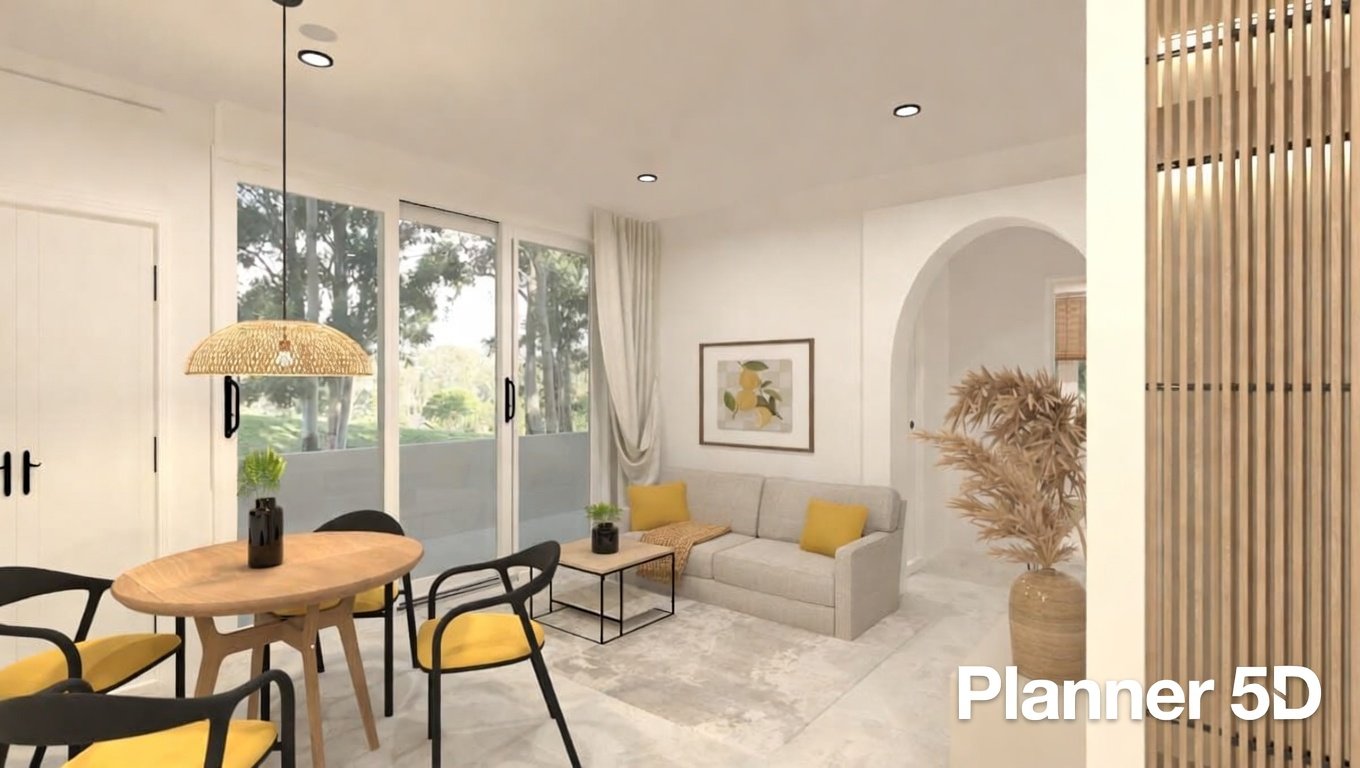
Planner 5D makes creating your dream home simple and fun. This powerful yet easy-to-use tool helps anyone turn ideas into real-looking 3D designs without needing expert skills. Whether you want to redesign a room, plan a full house, or try new furniture layouts, Planner 5D gives you the freedom to explore. Millions of users love how it blends smart technology with a friendly interface.
What Makes Planner 5D Stand Out in Home Design
Planner 5D started as an advanced 2D and 3D house design tool. It has grown into a complete platform used by over 72 million amateur designers worldwide. The software comes from Planner5D UAB in Lithuania and has been helping people since 2011.
Many users choose Planner 5D because it feels natural right away. You do not need special training. Drag and drop items, switch between 2D and 3D views easily, and see changes instantly. This simplicity helps homeowners, renters, interior lovers, and even professionals save time and money.
One big reason Planner 5D ranks well is its focus on real-life use. It supports everything from quick room makeovers to full landscaping projects. You can add walls, doors, windows, furniture, plants, and even pools. The tool shows accurate measurements so your plans stay realistic.
Key Features of Planner 5D You Will Love
Planner 5D packs many helpful tools into one place. Here are the main ones explained simply:
- 2D and 3D Floor Plans: Start in 2D for precise walls and measurements. Switch to 3D to see how everything looks from any angle. You can edit most items in both views.
- Huge Furniture Library: Access over 8,000 customizable items including sofas, beds, kitchen tools, outdoor furniture, and more. Change colors, materials, and patterns freely. Some users even turn 2D images into 3D objects with great results.
- AI-Powered Tools: Use the AI Design Generator and Bernard (the virtual assistant) for smart suggestions. The AI Floorplan Recognition tool can turn a photo or sketch into a ready 3D plan quickly.
- Augmented Reality (AR) and Virtual Reality (VR): Point your phone or tablet at a room to see furniture placed in real time with AR. Explore your full design in immersive VR mode for a true walkthrough feeling.
- High-Quality Renders: Create 4K snapshots, 360° panoramas, and 3D walkthrough videos. Higher plans give unlimited renders without watermarks.
- Smart Wizard and Automation: Let the tool suggest room layouts and furniture placement automatically. It speeds up the process for beginners.
- Project Estimation and Shopping List: Track costs as you add items. Some plans let you see budget or luxury options and even link to purchases.
- Community and Sharing: Join a large community to share designs, get feedback, or join Design Battles for fun inspiration. Collaborate with others easily.
These features make Planner 5D versatile. You can design indoors, outdoors, multi-story homes, or just one small space.
How to Get Started with Planner 5D Step by Step
Using Planner 5D is straightforward. Follow these simple steps:
- Sign up for a free account on the website or download the app.
- Choose to start from scratch, use a template, or upload a photo/floor plan.
- Draw or adjust walls in 2D mode. Measurements appear automatically.
- Add doors, windows, floors, and ceilings.
- Switch to 3D and drag furniture from the library into place.
- Customize colors, textures, and lighting.
- Use AI tools if you want quick ideas or recognition from an image.
- Preview in AR on your mobile device or create a render for sharing.
- Save your project and export images, videos, or share a link.
The interface stays clean once you begin a project. Tools sit in side panels with clear categories. Most people learn the basics in minutes.
Planner 5D works across devices. Use it on Windows, Mac, Android, iOS, or directly in your browser. Start on your laptop and finish on your phone. This cross-platform support is one reason many users stick with it.
Planner 5D Pricing Plans Explained Clearly
Planner 5D offers flexible options so you only pay for what you need:
- Free Plan: Create unlimited projects. Share designs and use basic tools. The catalog is limited, and high-resolution renders are restricted. Perfect for testing ideas or small projects.
- Premium Plan: Starts around €4.99 per month (annual) or €19.99 monthly. Unlock the full library (over 8,000 items), AI tools, 5 renders per month, texture editing, and more. Great for regular home users.
- Professional Plan: Around €33.33 per month (annual) or €49.99 monthly. Get unlimited 4K renders, 3D model imports, mood boards, 360° panoramas, custom branding, and advanced features. Ideal for professionals who create client presentations.
- Enterprise: Custom pricing for businesses. Includes white-label options, team seats, and tailored solutions.
Many users say the value for money is strong, especially with annual discounts. A one-week trial is available for the Professional plan (remember to cancel if needed).
Who Should Use Planner 5D?
Planner 5D suits a wide range of people:
- Homeowners and Renters: Visualize renovations, test furniture before buying, or plan moves without stress.
- Beginners: No design experience required. Templates and AI help you start fast.
- Interior Designers and Architects: Create quick concepts, client presentations, or detailed 3D views.
- Real Estate Professionals: Show properties in realistic 3D or AR to attract buyers.
- Students and Hobbyists: Experiment with ideas and build a portfolio.
Reviews show high ease-of-use scores (4.5/5) and strong recommendation rates (around 85%). Users often mention saving time and money by seeing designs clearly before making real changes.
Some limitations exist. The free version restricts items. Complex shapes or roofs can sometimes feel tricky. On web browsers, the tool can use a lot of computer resources during heavy rendering. Still, most users find the pros outweigh these points.
Real User Experiences and Reviews of Planner 5D
People share positive stories about Planner 5D. Many say it feels fluid and fast for everyday designs. One common praise is the ability to create professional-looking 3D visuals without hiring experts.
On review sites, Planner 5D earns solid ratings like 4.5 out of 5 from hundreds of users. Ease of use and features score especially high. Customers like the AR mode for seeing items in their actual space and the cost estimator for staying on budget.
Some users note small bugs, such as items shifting slightly or longer render times. The community and support team often respond quickly to help. Overall, the software earns praise for making design accessible and enjoyable.
Tips for Getting the Best Results with Planner 5D
To make the most of Planner 5D, try these practical tips:
- Begin in 2D for accurate walls and measurements, then move to 3D for visuals.
- Group furniture items so you can move whole sets easily.
- Use the AI tools early when you feel stuck for fresh ideas.
- Test AR on your phone for real-scale understanding.
- Export high-quality renders for sharing with family or clients.
- Explore the community gallery for inspiration before starting your own project.
- Check project costs as you go using the budget widget in paid plans.
These small habits help you work faster and create better designs.
Planner 5D vs Other Tools – Quick Insights
When comparing options, Planner 5D often stands out for its balance of ease and advanced features like AR/VR and AI. It offers more immersive tools than some basic floor plan apps while staying simpler than heavy professional software. For a deeper look at how it compares to similar platforms, check helpful guides.
Many users switch to Planner 5D after trying other programs because of its mobile support and large object library.
Conclusion
Planner 5D remains one of the most approachable and feature-rich tools for 3D home design. Its combination of a huge customizable library, AI assistance, AR/VR visualization, and cross-device support makes it ideal for beginners and experienced users alike. With flexible pricing starting free and clear upgrades, you can grow your skills without pressure.